Practice
Logging a Practice Session
How to save what you practised, with the timer or by hand, what the form asks for, and how to find and fix sessions later.
A session that isn't logged never happened, as far as the app is concerned. Logging is the one habit everything else depends on: points, level, streak, skills and your whole practice history come out of this one form.
Two ways to get there
A stopwatch you run while you play, with a separate clock per category. Stop it and the log form opens already filled in with your time
The same form, empty, for a session that happened away from the screen, and you can log something that happened up to 7 days ago
Or Practice → Manual Log if you're writing up a session after the fact.
What the form asks for
It comes in two steps, and only the first one is compulsory: how long you played, split across the four categories.
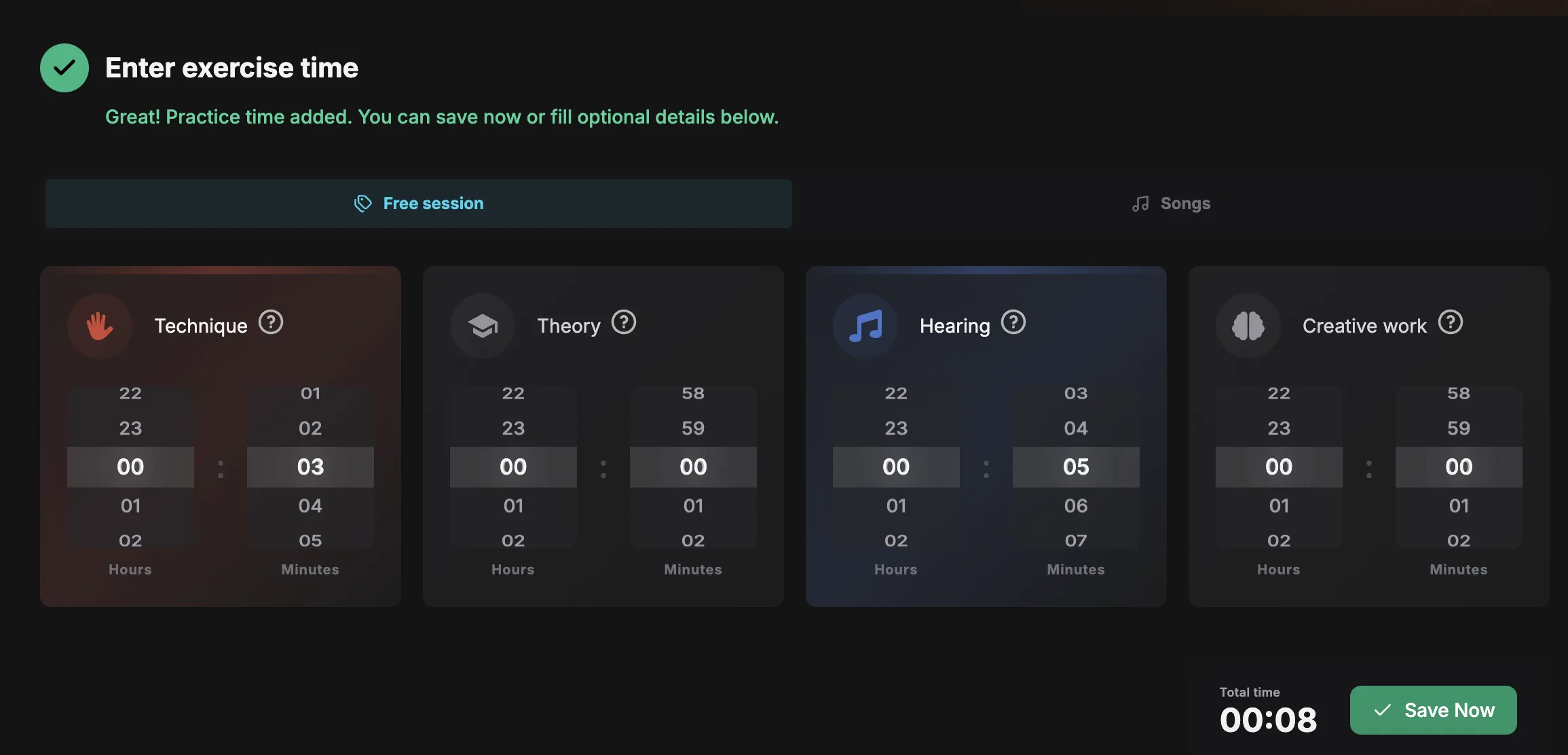
The second step is optional in the fullest sense, since the button above lets you skip it entirely. It's where the session gets a name, and where you tick what you actually did.
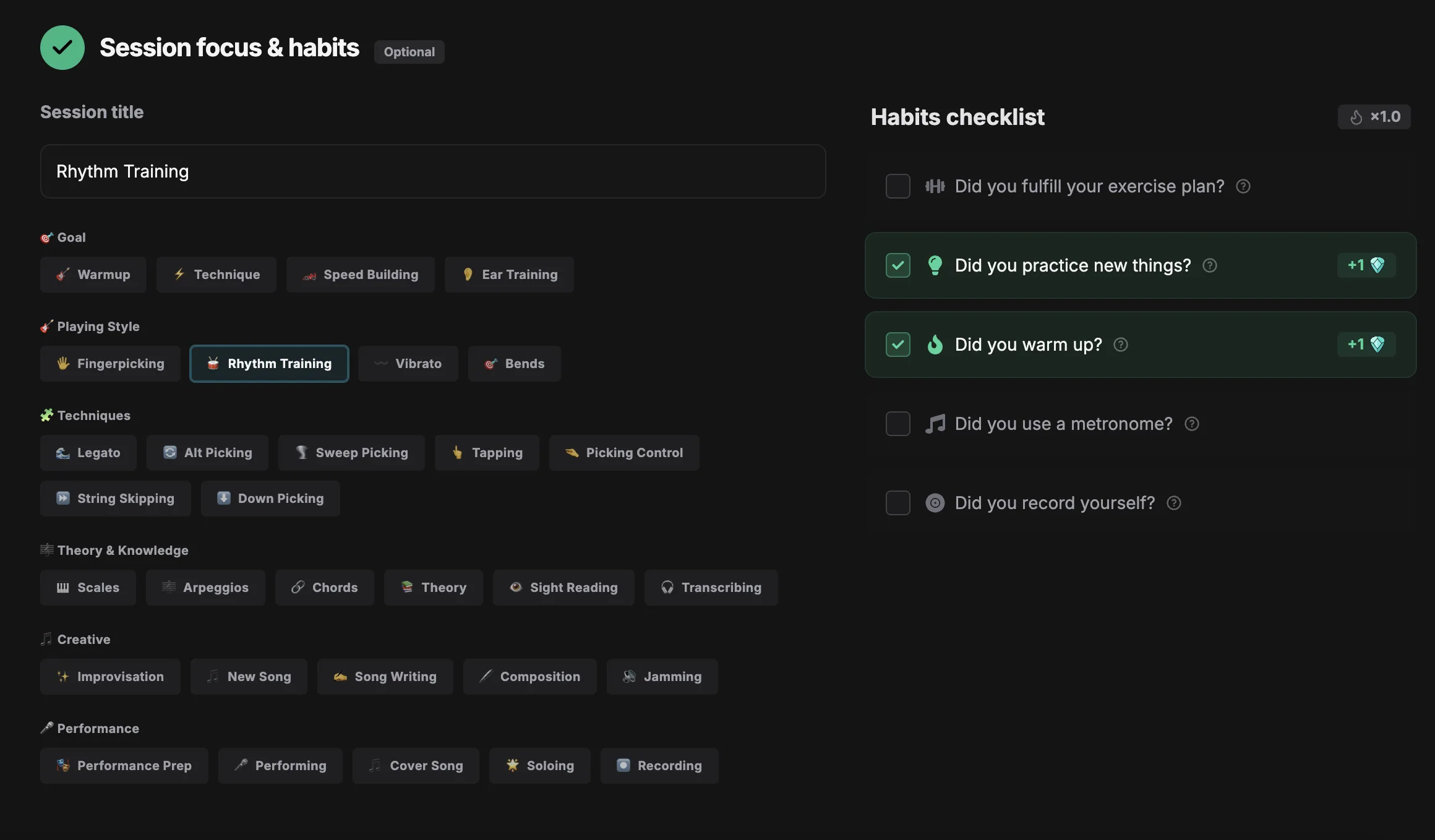
The tags (goal, playing style, techniques, theory, creative, performance) do nothing clever, they simply add words to that title, so future-you can tell one Tuesday from another.
Healthy habits
Each ticked habit is worth a point, up to five per session, and the streak bonus multiplies them along with everything else.
- Warm-up
- You warmed up properly before playing
- Metronome
- You practised to a click
- Learned something new
- A new technique, section or concept
- Exercise plan
- You followed a structured routine instead of noodling
- Recording
- You recorded yourself playing
Tick them honestly. They're worth a couple of points, but their real job is a nudge towards five habits that genuinely make practice better.
When the form pushes back
The form checks a few things before saving. It isn't trying to stop you, it's trying to keep your statistics worth looking at.
- No time at all
- Won't save, since a session needs at least some minutes on it
- 24 hours or more
- Won't save, no way around it
- More than 6 hours
- Saves, but asks you to confirm first
- More than the day can hold
- If the day's total would end up impossible, it asks you to confirm before saving
Your practice history
Everything you've logged is kept, grouped by day, on your Progress screen. Sessions are labelled by where they came from: a manual entry, a routine, or a song you were practising.
Filter by date range, by session type or by length, and edit or delete anything you logged wrong.
The summary at the top adds it up for you: total time, number of sessions, points earned, active days, average session length and how your time split across the four categories.
Questions people ask
I forgot to log yesterday
Use Manual Log and set the date; anything within the last 7 days is fair game. Note that a backdated session doesn't rebuild a streak you already broke
Can I edit a session?
Yes. Open it in your practice log and change or delete it, and points are recalculated to match
The timer was left running
Just correct the minutes on the form before saving. The timer is a suggestion, not a lock
Does practising a song need the timer?
No, practising from a song counts the same and is labelled as a song session automatically