On this page
"What's the best guitar practice app?" is three different questions wearing one coat, and the answer changes completely depending on which one you're actually asking:
- Learning what to play. You don't know what to work on next and want a structured course to tell you. This is a teaching problem.
- Practising a song. You know the song; you need the tab or the playback, slowed down, looped, in the right key. This is a tooling problem.
- Organising and recording practice. You know what to do and you do it, but sessions are ad hoc and you have no idea what you've actually spent time on. This is a bookkeeping problem.
Plenty of apps cover more than one of these — a course app with a decent song player covers the first two, and some tab apps keep a history of what you opened. But almost none cover all three well, and picking an app for a problem you don't have is why so many people end up with four installed and none in use.
Disclosure: this guide is published by Riff Quest. We describe our own practice tools alongside alternatives for lessons and song learning. Riff Quest appears below in the practice-organisation section, which is the need it's built for; we have not given it a "best overall" position, and where a competitor is stronger for a need we say so.
Start With the Problem, Not the App
Answer the question you're actually stuck on, then read only that section.
"I don't know what to practise." You want a structured course with an opinion about the order of things: JustinGuitar first, because its free path is genuinely complete for early learning. Simply Guitar or Yousician if you'd rather be walked through it with immediate feedback and a scoring layer. Fender Play or Coach Guitar if video-led, song-first learning suits you better than a curriculum.
"I know the song, I just can't play it yet." You want tab with playback and tempo control: Ultimate Guitar for breadth of catalogue, Songsterr for transcription quality and isolating one instrument at reduced speed.
"I practise, but nothing is adding up." You want planning and a session history: something that lets you decide what today's session contains, then records that it happened. That's what Riff Quest is for, and it's the narrower job of the three.
One learning source plus one organising tool covers most people. You do not need several apps to learn guitar, and a stack you have to maintain is its own reason to stop.
Comparison Table
Columns are the capabilities that actually decide this, not marketing categories. "Session history" means a record of your own practice sessions — how long you played and when — not course-completion progress, which is a different thing that several of these apps do have. Where a vendor doesn't document a capability clearly, the cell says Not confirmed rather than a guess.
| App | Main use | Custom practice planning | Session history | Tab playback / tempo control | Free access and key limits |
|---|---|---|---|---|---|
| Riff Quest | Organising practice, recording it | Yes — arrange exercises into a session, or build a plan | Yes — you log the session; history and totals by area | Yes — animated tabs with metronome; Guitar Pro import | Free; practice tracking and the exercise library are not paywalled |
| JustinGuitar | Structured course | Yes — My Practice Assistant builds a personalised exercise list | Course progress confirmed; timed practice history Not confirmed | Yes — song player with tempo control | Extensive free course content; subscription unlocks more |
| Yousician | Gamified lessons with live feedback | Not confirmed | Course/lesson progress; own-session history Not confirmed | Lesson playback with tempo; general tab library Not confirmed | Limited free tier (daily play limits) |
| Simply Guitar | Guided beginner lessons | Not confirmed | Lesson progress per profile; own-session history Not confirmed | Lesson playback; general tab library Not confirmed | Limited free tier; basics gate the rest of the library |
| Ultimate Guitar | Tab and chord catalogue | Not confirmed | Not confirmed | Yes — playback, tempo, transpose, metronome | Large free tab/chord access; Pro unlocks playback and offline saving |
| Songsterr | Accurate tabs, instrument isolation | Not confirmed | Not confirmed | Yes — MIDI playback, looping, speed, solo/mute tracks | Free browsing; Plus unlocks full playback tools and offline |
| GuitarTuna | Tuning and small utilities | No | No | No | Core tuner free; advanced tools paid |
| Gibson App | Lessons with real-time note feedback | Not confirmed | Lesson progress; own-session history Not confirmed | Lesson playback; general tab library Not confirmed | No free tier |
| Coach Guitar | Video, fretboard-visual song learning | Not confirmed | Not confirmed | Video-led rather than tab playback | Limited free lessons |
| Fender Play | Video course, song-led | Not confirmed | Course progress; own-session history Not confirmed | Video-led rather than tab playback | Free trial only |
On prices. Every app below lists the price we last recorded, with the date. Several of these vendors — Yousician most visibly — do not publish a public rate card and price their plans by the country you browse from, so a single figure is not verifiable from here. Treat every price as an indication and check the vendor's own page in your own currency. Where you compare two, compare the same billing interval: an annual price divided by twelve is not a monthly price, and a monthly plan billed yearly is usually cheaper than the same plan billed monthly.
Apps for Organising Practice and Keeping a History
This is the thinnest category in the whole market. Course apps record which lessons you finished; tab apps record which tabs you opened. Neither answers "how much did I actually practise this month, and on what?" — which is the question that explains a plateau.
Riff Quest: Free Practice Planning and Session History
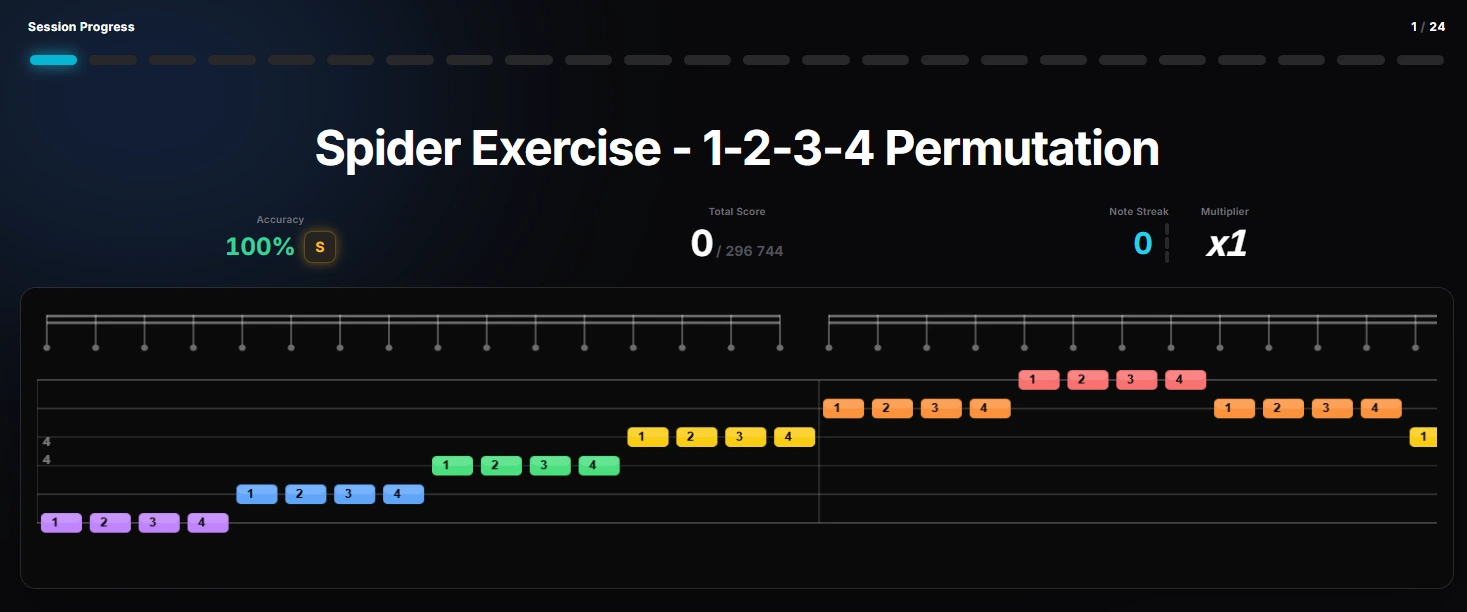
Riff Quest makes practice organisation its primary function rather than a feature bolted onto a course. It runs in the browser, it's free, and the tracking is not the part behind a paywall.

- Free for the whole practice-tracking core
- 230+ built-in technical exercises with animated tabs
- Guitar Pro file import for your own repertoire
- Practice history with a breakdown by area
- Runs in the browser, nothing to install
- Newer platform, so the community song library is still growing
- No structured beginner course — pair it with one
- You enter the session yourself; nothing is measured automatically
What a session actually looks like. This is the whole loop, and every step is something you do rather than something the app infers:
- Choose what the session contains. Pick exercises from the library — the beginner drills and the scale practice routine are the same exercises the app uses — or arrange your own into a plan.
- Practise it. Exercises come with an animated tab and a metronome you set yourself. With a microphone or audio interface, Pitch Detect marks each note of an exercise as a hit or a miss.
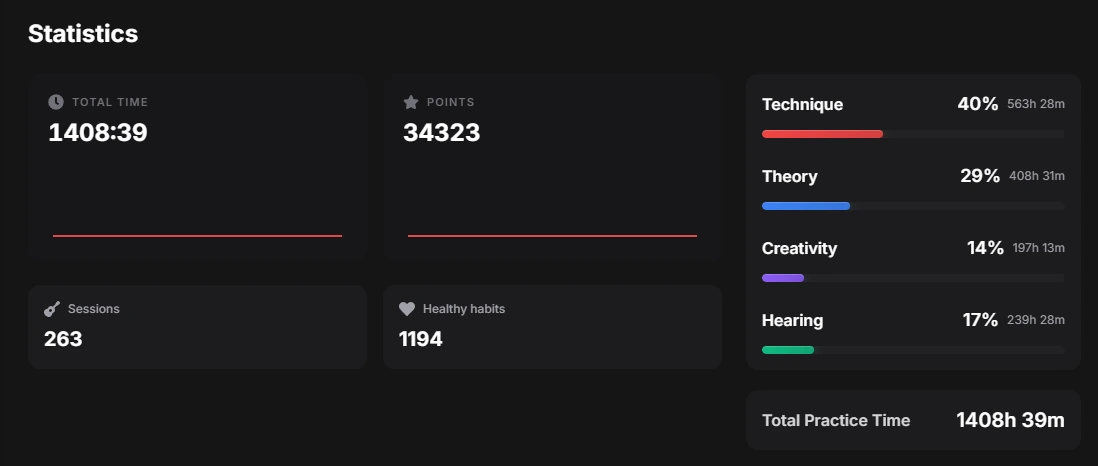
- Save the session. On the Manual Log screen you enter how long you played and how that time split across technique, theory, hearing and creativity. You type the minutes; the app does not measure them for you.
- Read the history back. The practice log lists sessions day by day, and the statistics screen totals them: total practice time, session count, and the percentage split across those four areas, as in the screenshot above.
What is recorded, and what isn't. Recorded: minutes, dates, session count, and the area split you assigned. Not recorded: whether you played it well. Riff Quest's own difficulty and quality judgements come from you and from the community ratings on songs — the history measures effort, not improvement, and the two are worth keeping apart in your head.
See how Riff Quest's difficulty ratings work for browsing songs by level, and the Riff Quest FAQ for how points and streaks work.
Everything else here. JustinGuitar's My Practice Assistant is the closest thing on this list to a planning tool inside a course app: it builds a personalised list of exercises with tempos and notes. Whether it keeps a timed practice history is not something we could confirm from its documentation, so the table says so.
Apps for Practising Songs: Tabs, Playback and Tempo
Once technique is no longer the bottleneck, song learning drives most progress, and the tab platform decides how efficient that is.
Ultimate Guitar: Largest Tab and Chord Catalogue
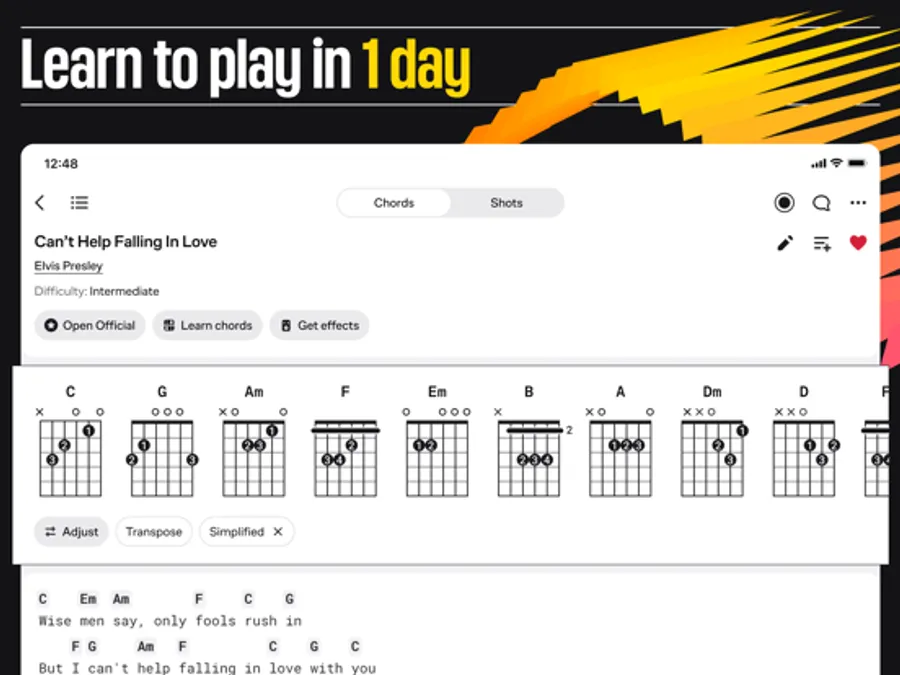
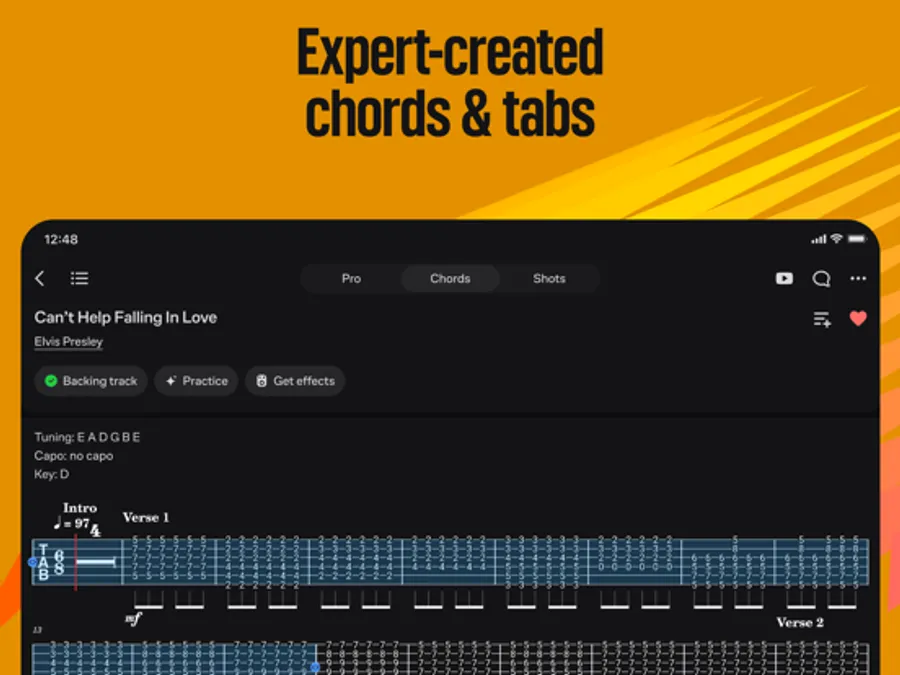
Ultimate Guitar hosts over two million community tabs and chord charts across essentially every genre, usually in several versions at different difficulty levels. Built-in metronome, tuner and transpose let you match a song to your current level or capo position without leaving the app.

- Unmatched catalogue size across all genres
- Transpose, tempo and metronome built in
- Multiple versions of popular songs to cross-reference
- Community-submitted tabs vary a lot in accuracy
- Playback and offline saving need the paid tier
The quality variance is real. For popular songs the top-rated tabs are usually accurate; for deeper cuts you may need to cross-reference with Songsterr or your own ear. Jazz players should be especially careful — community submissions often simplify extended chords (9ths, 11ths, 13ths) down to triads.
Songsterr: Accurate Tabs and Instrument Isolation
Songsterr takes the opposite approach: a smaller catalogue with higher quality control. Tabs play back as MIDI with speed control, looping, and the ability to solo or mute individual instruments — which is exactly what you want when learning one guitar part out of a full band arrangement, or looping four bars at 60% speed.

- High transcription accuracy and consistency
- Loop, slow down, solo or mute any instrument
- Renders odd meters and complex rhythms accurately
- Smaller catalogue than Ultimate Guitar
- The playback tools that make it worthwhile are on the paid tier
Which of the two. Learning specific songs from one artist or album: start with Songsterr for accuracy. Exploring broadly across a genre: start with Ultimate Guitar for coverage. Metal and progressive players generally get more from Songsterr; rock, pop and country players from Ultimate Guitar's sheer volume.
Offline. Both allow offline access to saved or downloaded songs on their paid tiers — Ultimate Guitar one tab at a time, saved manually while connected. Riff Quest's exercises work from the browser cache once loaded, but treat it as a browser page, not an offline-first app. Yousician and the Gibson App expect an active connection for most features.
Apps for Structured Lessons
If the real problem is not knowing what to work on, this is the category that solves it — and it's where the strongest free option on the whole list lives.
JustinGuitar: Best Free Structured Path
JustinGuitar is the reference point for free structured guitar education. Justin Sandercoe's curriculum runs through beginner grades 1, 2 and 3, covering chord transitions, strumming, basic theory and fretboard familiarity in a defensible order. The integrated song player has adjustable tempo and lyrics, and My Practice Assistant builds a personalised exercise list with tempos and notes.
- Instruction quality is the benchmark for the category
- The free content is genuinely complete for a first year
- My Practice Assistant plans sessions, not just lessons
- Built-in tuner and song player
- Interface is plainer than the gamified competitors
- Some features sit behind a subscription
The thing most reviews miss: you don't hit a paywall at a critical moment. That is rarer than it sounds.
Yousician: Gamified Lessons With Live Feedback
Yousician listens through the device microphone and scores your timing and accuracy in real time, turning chord changes and scale runs into challenges. For learners who need a scoreboard to show up daily, that works.

- Engaging enough to build a daily habit
- Multi-instrument (guitar, bass, ukulele, piano)
- Immediate feedback on timing and accuracy
- Price is opaque and region-dependent
- Feedback quality depends heavily on microphone conditions
- Players wanting deeper theory or ear training outgrow it
For a free stand-in for each job Yousician does (lessons, live feedback, songs and streaks), see the free Yousician alternatives comparison.
Simply Guitar: Guided Lessons and Family Profiles
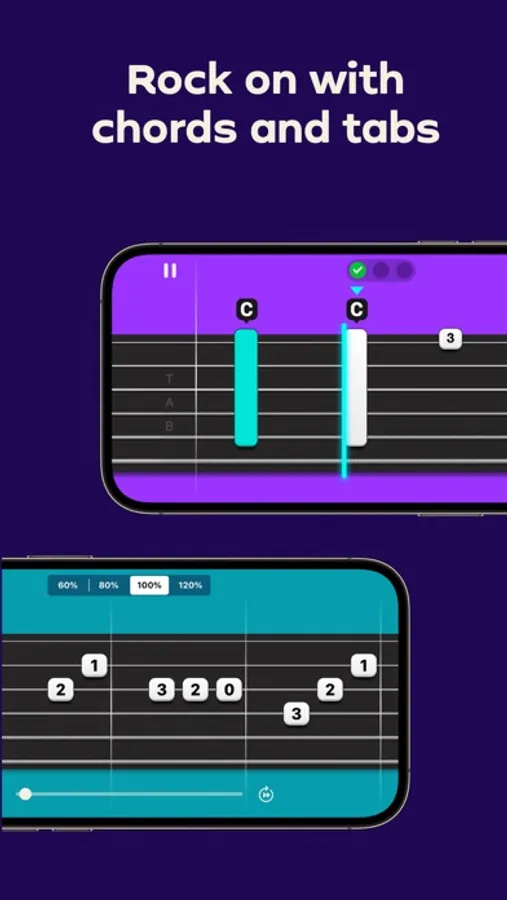
Simply Guitar solves a problem the others ignore: several learners in one household, with up to five profiles on one account. The interface is clean enough that a ten-year-old and a forty-year-old can both navigate it, and microphone feedback confirms chord accuracy.


- Intuitive, low-clutter design
- Five profiles on one account
- Step-by-step lessons with immediate feedback
- Content depth drops off sharply past beginner
- You must clear the basics before the full library unlocks
Gibson App: Lessons With Real-Time Note Recognition
The Gibson App uses Audio Augmented Reality for real-time note recognition during lessons, with built-in amp and pedal modelling and lessons from professional educators. It is the most technically polished feedback system here, and the only entry with no free tier at all.

- Responsive, reliable real-time feedback
- Excellent modern interface
- Amp and pedal simulation built in
- No free tier at all — you commit before you try
- Smaller song library than the specialised tab apps
- Annual billing only, so the entry cost is the full year
Note the arithmetic, because this list is easy to misread: an annual $129.99 is not "more than most competitors combined". Per month it lands near Ultimate Guitar or Songsterr. What makes it a bigger commitment is that you pay the year up front and there's no free tier to test first.
Fender Play and Coach Guitar
Both are video-led rather than tab-led, and both are narrower than the entries above, so here is the short version rather than a padded one.
Fender Play is a video course built around playing recognisable songs early, organised into short lessons by genre and skill path. It leans on watching and copying rather than on notation, which suits some learners and frustrates others. Access is subscription-only after a free trial; we have not verified a current figure for this update, and Fender runs promotional rates frequently enough that quoting one would mislead.
Coach Guitar teaches through video with colour-coded fretboard visuals rather than tab or notation, aimed squarely at beginners who find standard tab off-putting. A limited set of lessons is free; the rest is subscription. Like Fender Play, it is a learning source, not a practice organiser — neither keeps the kind of practice history discussed above, as far as their documentation states.
Supplementary Tools
Small, cheap, and genuinely worth having — but add them after the main choice, not instead of it.
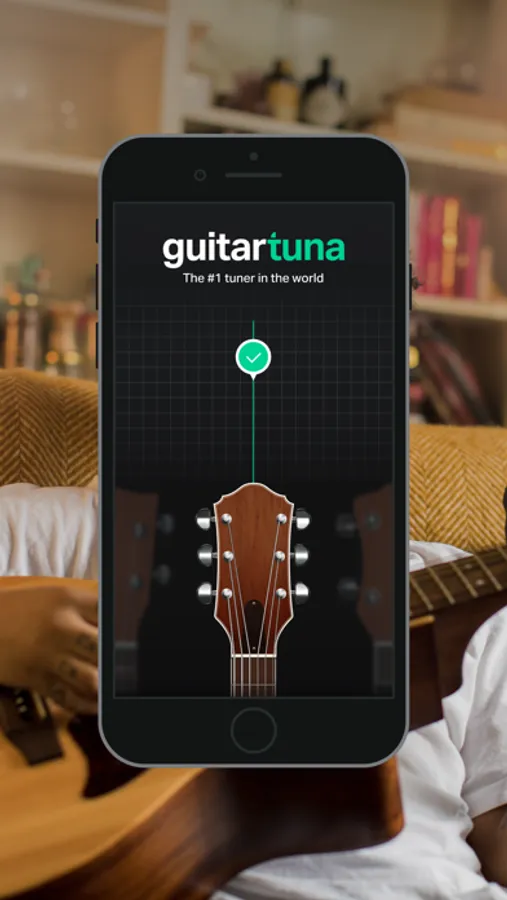
Tuning. GuitarTuna does one thing extremely well: fast, accurate chromatic tuning in standard and alternate tunings, free, reliable in moderate noise. It also bundles a metronome and chord games.


- Accurate and fast mid-practice
- Free for the part that matters
- Metronome and chord trainer included
- Not a learning platform
- Microphone tuning struggles in a noisy room
Metronome. GuitarTuna's built-in one is enough for beginners. If you need compound meters, subdivisions or programmed tempo changes, Tempo by Frozen Ape and Pro Metronome both cover that and both have free versions.
Backing tracks. iReal Pro (one-time purchase, iOS/Android/Mac) generates full band accompaniment from chord charts with adjustable tempo, feel and style, and ships a large library of jazz standards; it is also the standard tool for blues players who want an authentic shuffle to lock into. Loopy Pro is the alternative if you'd rather build your own loops live.
Ear training. Tenuto and EarMaster cover intervals, chord quality and dictation through progressive exercises. Functional Ear Trainer teaches scale degrees in the context of a key, which transfers to playing by ear faster than abstract interval drilling. Five to ten minutes a day compounds.
Genre fit, briefly. Jazz players are better served by iReal Pro than by either tab platform, because community jazz tabs routinely simplify extended chords. Classical players want notation, not tab — MuseScore or Noteflight. Metal and progressive players want Songsterr, plus the Guitar Pro mobile app if you have .gp transcriptions.
Hardware, briefly. Microphone input is fine for tuning and chord practice. For real-time feedback apps, an audio interface (an iRig-class adapter, or a Focusrite Scarlett-class desktop interface) removes ambient noise and latency, and improves note detection on distorted tones. iOS support for third-party interfaces is more consistent than Android's — check your app's documentation before buying.
A Simple Starting Stack
You need fewer apps than the internet suggests. A workable beginner setup is one learning source and one organising tool:
- Tune up (GuitarTuna, or any tuner — 1 minute)
- One JustinGuitar lesson, new or revisited (20 minutes)
- Log the session in Riff Quest: how long, and roughly what it was (1 minute)
That's it. Add a tab app when you have a specific song you want and JustinGuitar doesn't teach it. Add a metronome app when a built-in one stops being enough. Adding tools before you have the problem they solve is how a practice routine becomes an admin task.
The logging step is the one most people skip, and the one that makes a plateau legible: two months in, "I've been practising loads" and "I practised eleven times, almost all technique" are very different pieces of information.
For a longer session structure once 20 minutes isn't enough, see how to practise guitar every day and how long to practise guitar daily.
Which Is Right for You?
Complete beginner: JustinGuitar for structure, a tuner, and a tracker if you want the record. Three months before you need anything else.
Motivation is the problem: Yousician's scoring and streaks are genuinely effective at getting you to open the app — check the price in your own country first.
Learning specific songs: Ultimate Guitar for breadth, Songsterr for accuracy and isolating parts.
You want polished real-time feedback and will pay annually: the Gibson App.
Household with several learners: Simply Guitar's profiles.
You practise consistently but can't see progress: that's the bookkeeping problem, and Riff Quest's planning and history are built for it. Pair it with the intermediate guitar practice routine if you also want the session written out for you.
The best practice tool is the one you actually open. An app abandoned after a week is worse than a notebook.
FAQs
Which guitar app is best for planning practice sessions?
For building the session itself, JustinGuitar's My Practice Assistant and Riff Quest both let you assemble a personalised list of exercises rather than following a fixed lesson order. Riff Quest additionally records the session afterwards; whether JustinGuitar keeps a timed practice history is not something its documentation makes clear. Most course apps don't plan at all — they sequence lessons, which is a different thing.
Which apps keep a history of my own practice sessions?
Of the apps here, Riff Quest is the one that records your own sessions — how long, when, and how the time split across technique, theory, hearing and creativity — and shows the totals back. Several others track course progress, meaning which lessons you completed, which is useful but won't tell you how much you practised last month. Where we couldn't confirm which of the two an app does, the comparison table says "Not confirmed" rather than guessing.
Can I practise my own songs, or only the app's library?
It depends on the app's model. Tab platforms like Ultimate Guitar and Songsterr are catalogue-based — you get what's transcribed. Riff Quest accepts Guitar Pro file import, so your own transcriptions become practisable material. Course apps are generally closed: you practise the songs in the curriculum.
Do I need a paid subscription to get value from a guitar practice app?
No. JustinGuitar's free course content covers a first year of learning properly, GuitarTuna's core tuner is free, and Riff Quest's practice tracking and exercise library aren't paywalled. The paid tiers matter most for tab playback (Ultimate Guitar Pro, Songsterr Plus) and for the feedback-driven lesson apps. A free stack that covers lessons, tuning and tracking is entirely realistic.
What equipment do I need beyond the guitar?
For most apps, nothing — a phone and its microphone. A tuner is free. If you use a real-time feedback app and find it unresponsive or twitchy, an audio interface that plugs your guitar in directly is the fix, and it matters more on a distorted electric tone than on a clean acoustic. It is an upgrade, not a requirement.
Can you learn guitar with an app alone?
Far further than sceptics expect, for chords, basic theory, fretboard navigation and song learning. What apps handle least well is posture, tension and hand position — the things a teacher spots in five seconds and a microphone never will. Apps as the daily engine, with occasional human feedback to correct what you can't see, is the combination that works.
Conclusion
Pick by need, not by ranking. Take one structured course, take a tab source if the course doesn't cover the songs you want, and take something that records what you actually did — then stop shopping. For most beginners that's JustinGuitar plus a tracker; for players stuck on specific songs it's a tab platform plus whatever teaches the technique underneath them.
Riff Quest covers the third job: deciding what a session contains, and keeping the record of it afterwards. It's free, it runs in the browser, and it will not tell you that you're improving — only what you did, which turns out to be the more useful of the two.
About the Author

Michael Apfel
Guitarist & Creator of Riff Quest
Has been playing guitar for 14 years, including time performing live in two bands. Built Riff Quest to solve his own practice-tracking problems, and writes about practice and learning guitar drawing on hands-on experience with the instrument.
Try Riff Quest