Guitar practice planner
Give your next guitar session a plan.
Choose a ready-made routine, build your own sequence, or let Auto Plan assemble a session. Set your focus, arrange your exercises, and start playing.
Browse ready-made routines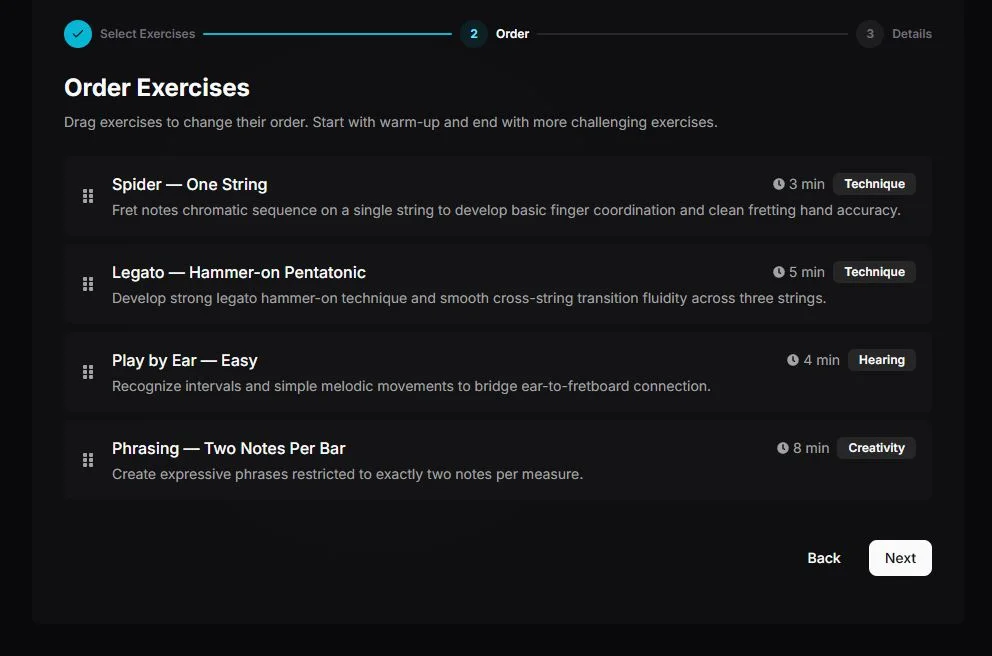
- 01Choose
- 02Arrange
- 03Play
Three paths
Three ways to plan your practice
Make it your own
Choose your exercises, give each one a time slot, and put them in the order you want.
Build a custom plan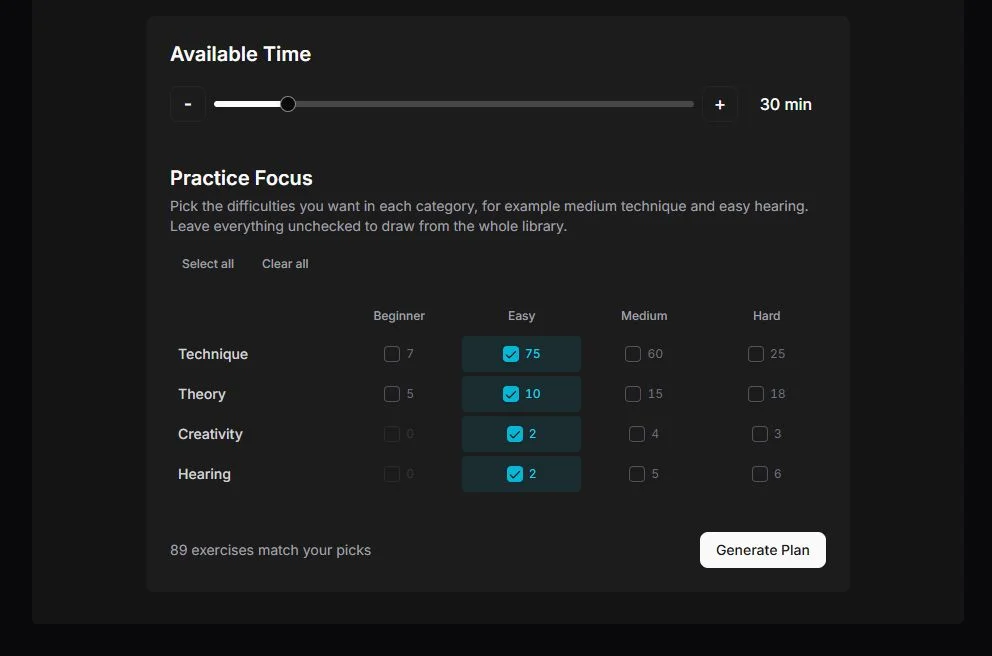
Let Auto Plan assemble it
Choose a session length and filter by practice category and difficulty. Review the result before you play.
Open Auto PlanReady-made routines
Pick a starting point and get playing
The routine library is sorted into Featured, Playalongs, My Plans and Community, with a category filter on top. Every card says how long it takes and how many exercises are inside.
- TechniqueBeginner
Absolute Beginner: First Steps
7 min4 exercises - TechniqueBeginner
Beginner: Daily Exercises
7 min4 exercises - TechniqueBeginner
Strumming Foundations
8 min5 exercises
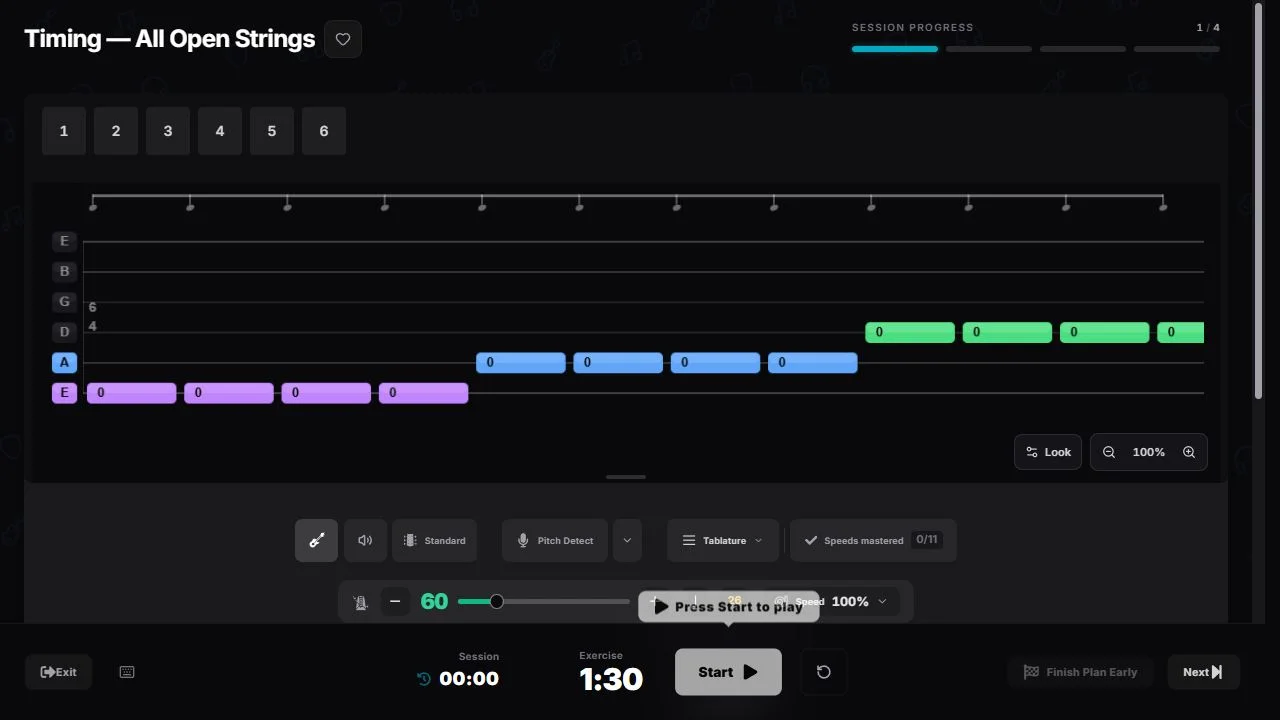
A ready-made routine opens as an ordered practice session. The progress bar at the top counts the exercises, the timer runs each block, and Next moves you on when the block is done.
Custom plan
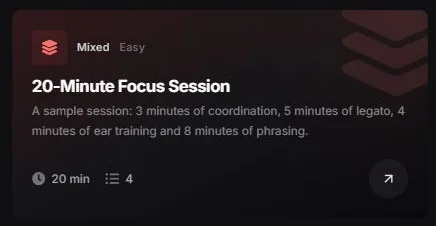
See a 20-minute session take shape
Here’s one example built in the custom planner. Change the exercises, timing, and order to fit your own session.
20-Minute Focus Session
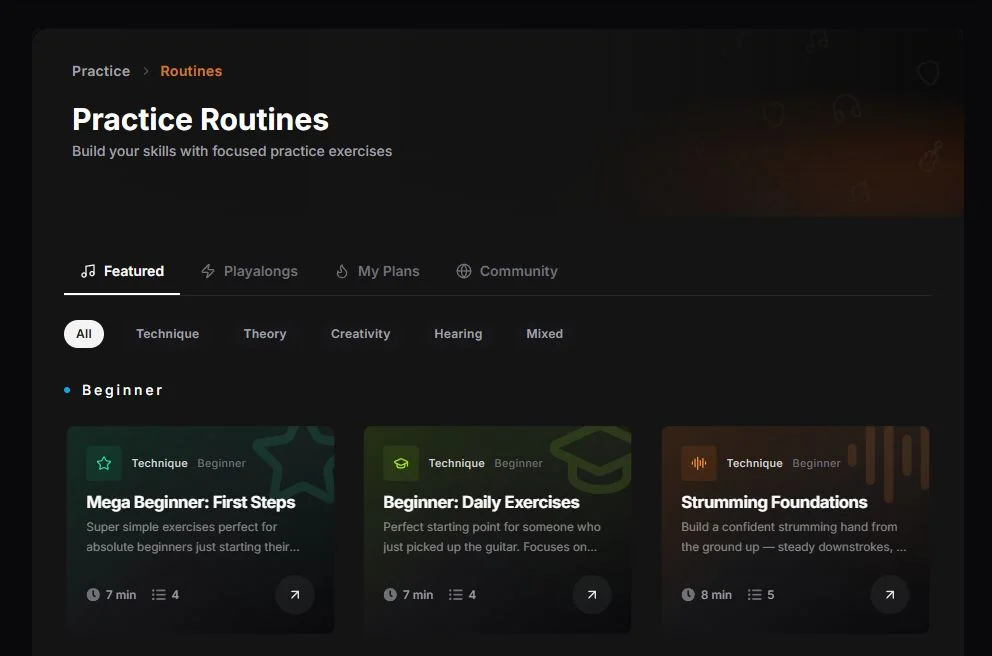
Mixed · Easy · 20 min · 4 exercises- 01
Spider — One String
Fret notes chromatic sequence on a single string to develop basic finger coordination and clean fretting hand accuracy.
Coordination
3 min00:00–03:00 - 02
Legato — Hammer-on Pentatonic
Develop strong legato hammer-on technique and smooth cross-string transition fluidity across three strings.
Legato
5 min03:00–08:00 - 03
Play by Ear — Easy
Recognize intervals and simple melodic movements to bridge ear-to-fretboard connection.
Ear training
4 min08:00–12:00 - 04
Phrasing — Two Notes Per Bar
Create expressive phrases restricted to exactly two notes per measure.
Phrasing
8 min12:00–20:00
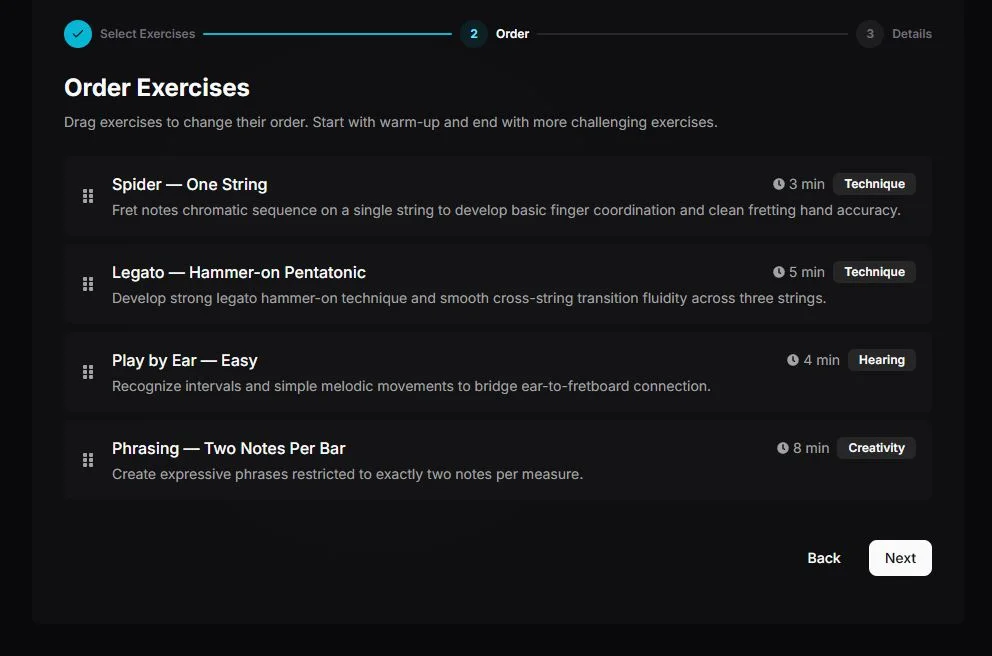
The minutes were set by hand in the wizard, not taken from the library defaults, and they cover the exercise blocks only. It shows how the planner works, not a programme to follow.
- 01
Choose exercises
From the library, the community, your own exercises or songs.
- 02
Set each duration
Every block gets its own minutes; the card sums them up.
- 03
Arrange the order
Drag to reorder. Warm-up first, the hardest block last.
The last step names the plan and picks its card. The card then shows the total and the exercise count in your My Plans tab.
Auto Plan
Choose the boundaries. Review the plan.
Select a duration, choose your categories and difficulty, then review the generated exercises. Swap an exercise or change the order before starting.
- 01
Settings
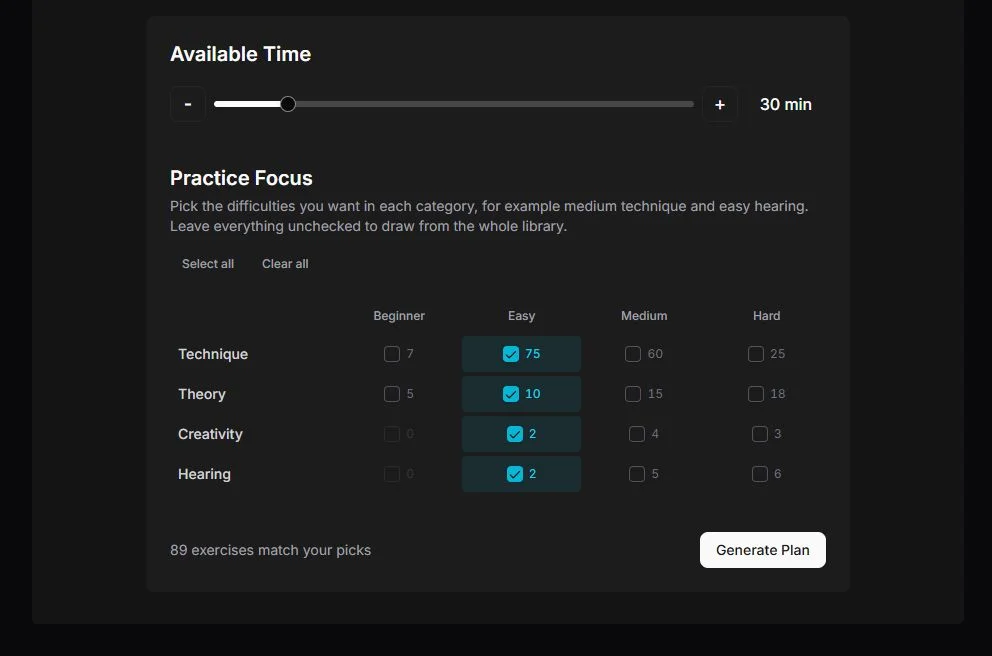
Pick a length from 15 minutes to 2 hours, then tick a difficulty per category. The counter shows how many exercises match before you generate.
- 02
Generated plan
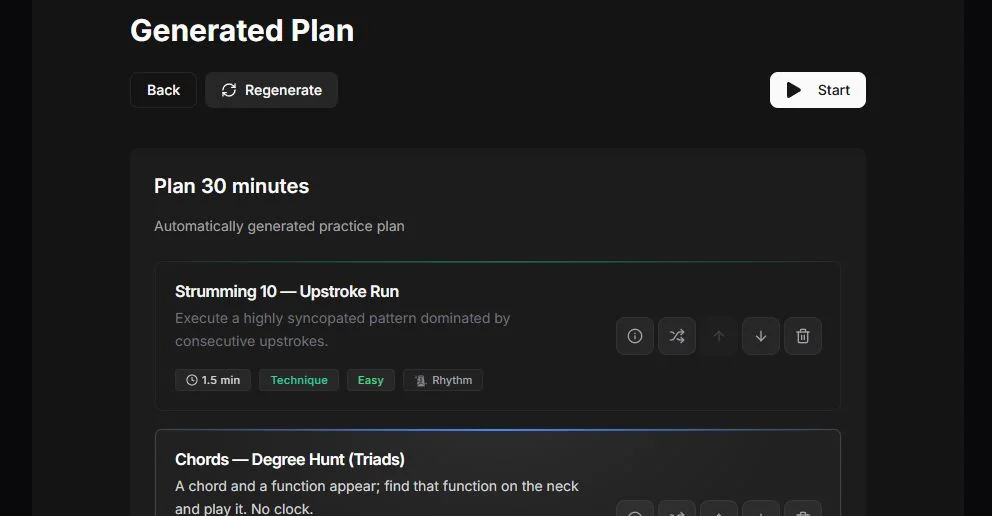
Every exercise has its own controls: details, swap for another, move up or down, remove. Regenerate rolls the whole plan again.
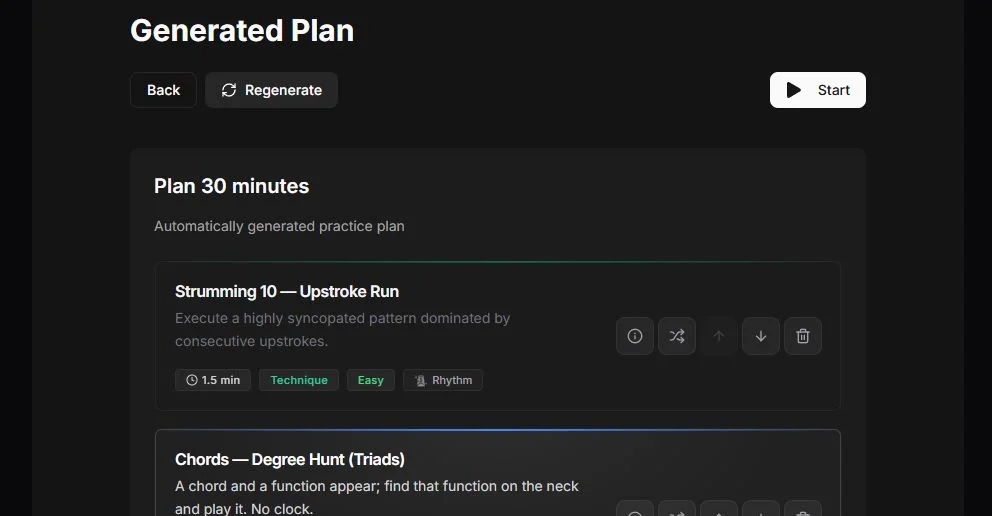
Example: a 30-minute target with Easy selected across the four practice categories. Generated exercise times may not add up to the exact target duration.
Frequently asked questions
Filters, sharing a plan with the community and what Auto Plan does when nothing fits are covered in the knowledge base: How routines and Auto Plan work
Can I build a 20-minute guitar practice plan?
Yes. In the custom planner, assign a duration to each exercise so the blocks add up to 20 minutes. The example above uses four exercises.
Can I change an Auto Plan before starting?
Yes. Review the generated exercises, swap or remove an exercise, and adjust the order before you start.
Where can I find a complete daily routine guide?
See our daily guitar practice plan guide for example routines for 15, 30 and 60 minutes and practice advice on what to play each day.
Looking for what to practise, not how to plan it?
Daily guitar practice plan guide
Complete 15, 30 and 60-minute routines with example exercises and advice on what to play each day.
OpenIntermediate practice routine
A 45-minute programme with a short-session variant and a weekly rotation.
OpenInteractive guitar practice
What happens once the session starts: the tab scrolls and every note you hit is marked live.
OpenGuitar roadmap for your goal
Months of practice laid out in phases around one goal, each step with an exercise, lessons or a song.
OpenMake your next session easy to start.
Free account, no card. Signed in already? The buttons take you straight to the feature.