On this page
Rocksmith combines playing songs with following notes on screen and getting feedback from the instrument itself. Free tools can replace different parts of that experience: the gameplay, the work with tabs, or the motivation to practise regularly. Which one you want depends on which of those you need most.
This guide compares five options, Riff Quest among them. Each has a free entry point, described below. With Soundlane you need to factor in the announced Pro plan. Information and screenshots are current as of 16 September 2026.
Disclosure: this guide is published by Riff Quest. We describe our own practice tool alongside alternatives that do something different. Riff Quest hasn't been given a "best overall" position here — it comes first because it covers planning and practice history, and where another tool does something better, we say so plainly.
Quick Comparison
| Tool | Best at | Feedback from the guitar | Free model | Main limitation |
|---|---|---|---|---|
| Riff Quest | Practice plans, interactive exercises and a progress history | Pitch Detect in supported exercises | No subscription, no paywall | The detection score doesn't judge the whole quality of a performance |
| StringTheory | Playing along a 3D note highway and drilling song sections | Notes and chords, live scoring | GPL-3.0 code; downloadable releases | Your own song files and audio input setup |
| fee[dB]ack | Playing and learning with support for several instruments | Audio detection; MIDI for instruments that suit it | Free, open source project | Development builds; some features are still being written |
| Soundlane | A quick start in the browser and your own tabs | The developer states it scores notes and performance | Free for now; a Pro plan is on the way | The future scope of the plans may change |
| TuxGuitar | Editing and playing back tabs | No Rocksmith-style scoring of your playing | Free, open source | You judge the accuracy of your playing yourself |
Details and sources sit with each tool below. The comparison describes features and availability; it is not a benchmark of detection accuracy or audio latency.
1. Riff Quest — When You Want to Know What to Practise and Whether You're Improving
Riff Quest combines an exercise library, session planning and a practice history. You can build your own routine, use the Auto Plan, work with Guitar Pro tabs and watch your skills develop. Game elements such as levels and quests help you come back to the instrument. Access is free, with no subscription — the project is funded by community support.
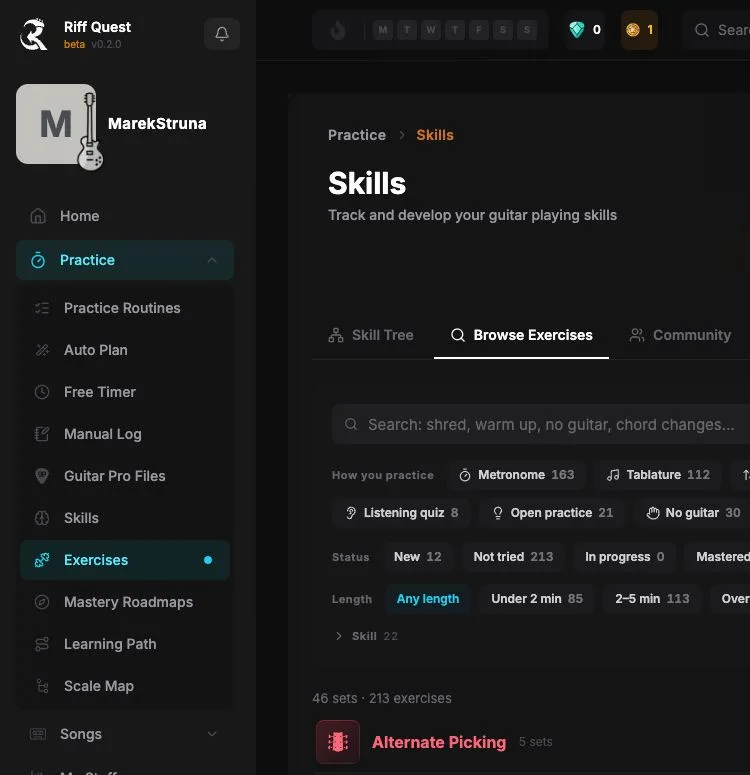
The Pitch Detect feature compares the notes it hears with the task in supported exercises. Note detection doesn't judge tone, dynamics or the whole musical quality of a performance. Progress points come from the practice you record, not from the hit percentage alone.
How to start: open the exercise library, pick a short task and a tempo that lets you play comfortably. If you want feedback, turn on Pitch Detect and run the calibration. Save the session once you're done. There's also an optional desktop app with direct audio interface support.
Pick it if: what you care about most is structured practice, exercises and a visible record of the work you've done.
Build your own practice routine
An exercise library, a session plan and a practice history in one place. An account is free, with no subscription and no card.
Start for free2. StringTheory — A 3D Note Highway, Scoring and Looping the Hard Parts
StringTheory is a guitar and bass game with live detection of single notes and chords. It offers a Highway3D view and tabs, section looping, speed changes and a Note By Note mode that waits for you to play the next note or chord correctly. The built-in Tone Lab lets you shape your sound.
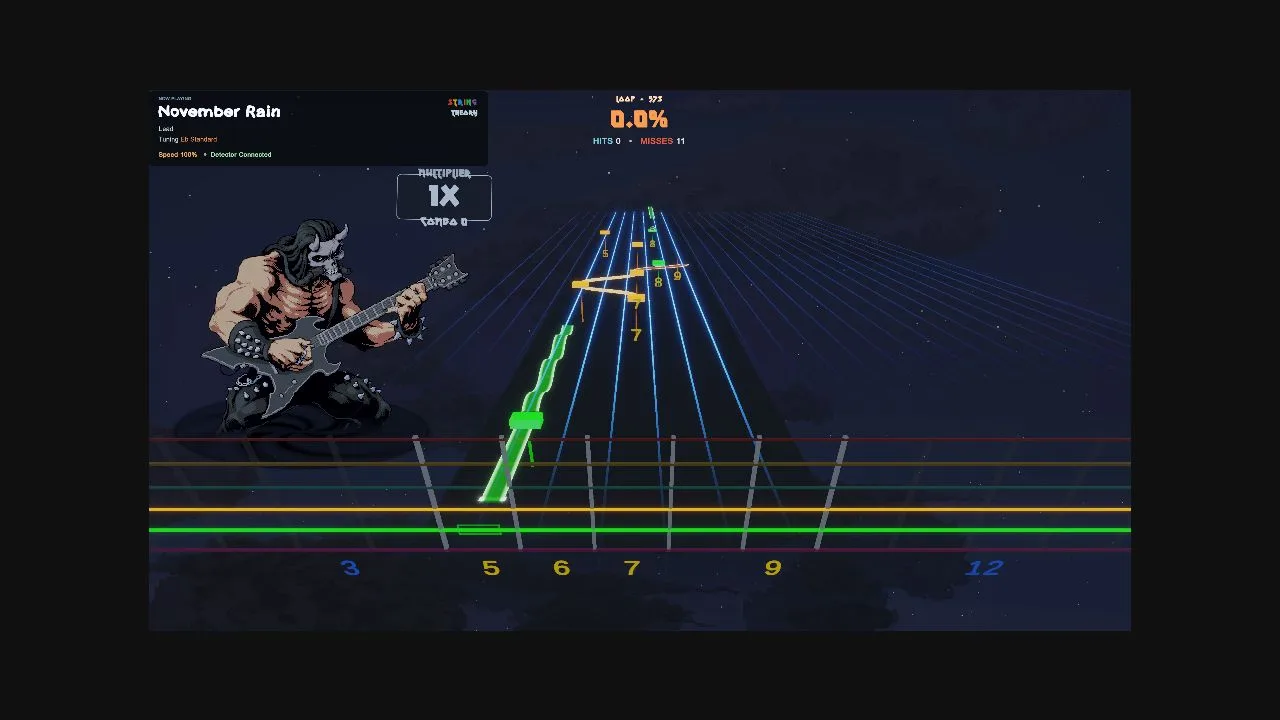
The program works with your own material, Guitar Pro and MusicXML among others. The project's code is available under GPL-3.0, and the README points to ready-made releases. Support for additional formats is worth checking for the specific version and its add-ons rather than assuming compatibility with your whole existing library.
How to start: go to the project's releases, pick the build for your system, set up the instrument input and open a supported file of your own. Begin with a short loop at a slow tempo.
Pick it if: what you're after above all is gameplay with a real guitar, scrolling notes and hit scoring. StringTheory repository and documentation
3. fee[dB]ack — A Broader Platform for Playing and Learning
fee[dB]ack takes the note highway approach and grows it into a platform for several instruments. In the guitar section the developer describes detection of notes, bends and chords, support for alternative tunings, a tuner, and slowing down and looping sections. Songs can be imported from Guitar Pro and MusicXML, and you can write your own arrangements in the editor.
![fee[dB]ack — the official guitar section with a preview of the note highway](/images/blog/rocksmith/feedback.webp)
The project is free and open source. The site offers desktop builds for Windows, macOS on Apple Silicon and Linux, plus the option to self-host. Bear its development status in mind: the downloads are marked as nightly, and some areas, vocals for instance, are still under construction.
How to start: download the build for your system, add a tab or an arrangement of your own, set the audio input and begin with a single instrumental part.
Pick it if: you want to combine playing with editing your material, and a platform that reaches beyond the guitar appeals to you. Official fee[dB]ack site
4. Soundlane — Your Own Tabs and a Real Guitar in the Browser
Soundlane runs without installing an app and without a mandatory account. You can use the built-in material or import Guitar Pro: GP3, GP4, GP5, GPX or GP. The notes travel along a highway of the kind guitar games use, and the app states that it recognises the instrument and scores timing, intonation and note length among other things.
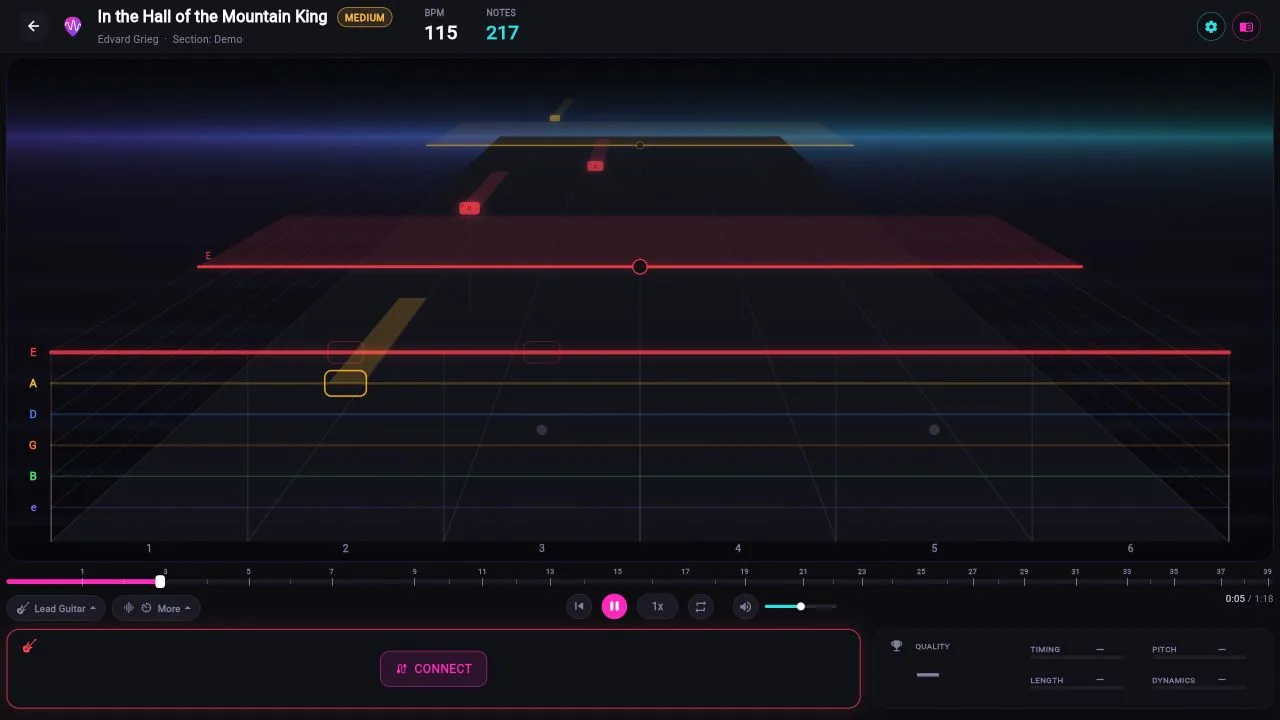
According to the developer, the audio analysis happens on your device. There are learning and game modes, exercises and amp tones. The tool is free at the moment, but the FAQ announces a Pro plan covering sync, statistics and more extensive practice tools among other things. Its future features shouldn't be presented as free forever.
How to start: open the app, choose an exercise or a song, set a slow tempo and configure a microphone or an interface when you're ready to play.
Pick it if: you want to try the play-along-with-a-tab formula quickly, without installing anything. Soundlane and its FAQ
5. TuxGuitar — When What You Mainly Need Is Tabs
TuxGuitar is a free editor and player for multi-track tabs. It opens Guitar Pro, Power Tab, TablEdit and MIDI files among others. The official project ships packages for many systems, including Windows, macOS, Linux and Android.
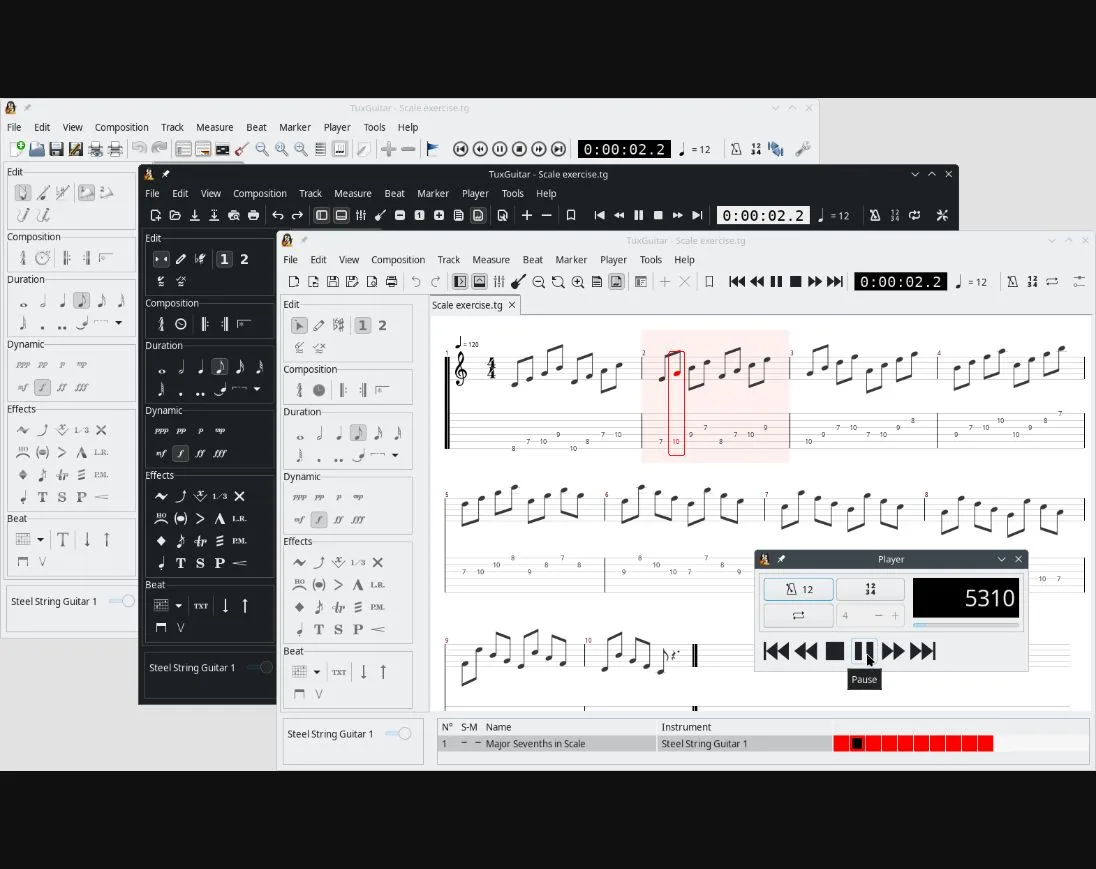
This one is for people who want to read, correct and play back a written part. It won't replace the "play a note — get a score" loop you know from Rocksmith. What it does give you is a way to focus on the music itself, with no gameplay scoring.
How to start: download the program from the link on the project site and open a supported tab. Pick the instrument part and work on a small section, judging your playing by ear.
Pick it if: tabs and editing them are what you care about, and automatic scoring isn't needed. Official TuxGuitar site
Which Tool Should You Pick?
- A note highway and scoring while you play: start with StringTheory; compare it against fee[dB]ack.
- A quick start in the browser: try Soundlane.
- A routine, quests and a practice history: have a look at Riff Quest.
- Reading and editing tabs: go with TuxGuitar.
You can also combine two tools. Work on a song in a tab player, for example, and record the time and goal of the session in Riff Quest. That's a suggested way of working, not an automatic integration between the apps.
FAQs
Does a free app mean free gear and all the songs?
No. Being free applies to the software described here. The instrument, an audio interface if you need one, and some of the musical material may have to be bought separately. Being able to import a file doesn't mean the app comes with a library of well-known recordings.
Does a high score mean I'm playing well?
The score is a hint about whatever that particular tool measures. Listen to the cleanness of the sound and the whole phrase as well. It's worth recording a short sample of your playing and comparing it with an earlier session.
How do I compare apps without losing a whole day to setup?
Pick one short exercise and repeat it in two tools. Judge how readable the notes are, how easy it is to set the tempo, and how comfortable it is to go back to a difficult passage. The most useful app is the one you'll happily open for another session.
How We Put This Comparison Together
Features and access models were checked against official sources on 16 September 2026. The screenshots show the interfaces available that day, or the official material named in the captions. No comparative audio measurements were taken. Names, interfaces and promotional material belong to their creators.
About the Author

Michael Apfel
Guitarist & Creator of Riff Quest
Has been playing guitar for 14 years, including time performing live in two bands. Built Riff Quest to solve his own practice-tracking problems, and writes about practice and learning guitar drawing on hands-on experience with the instrument.
Try Riff Quest