Your own material
Turn any tab into an exercise, and never play it alone
Bring a Guitar Pro file or write a riff from scratch. Riff Quest turns it into an exercise with tempo control and note detection, puts a band behind it, and lets other players practise it too if you want them to.
The editor opens without an account. Saving and practising take a free one.
- exercises written by players
- 190+
- exercises written by players
- Guitar Pro files uploaded
- 830+
- Guitar Pro files uploaded
Bring the music
Start from a file, or from nothing
Whatever you want to practise, get it in as notes: a Guitar Pro file from your collection, or a tab you write yourself.
A Guitar Pro file you already have
Upload it to your library and it opens as a practice session: pick the track you play, set a time limit or none, and go. Up to 50 files of 1.5 MB each, sorted into folders. GP3, GP4, GP5, GPX, GP all work.
Or a blank tab
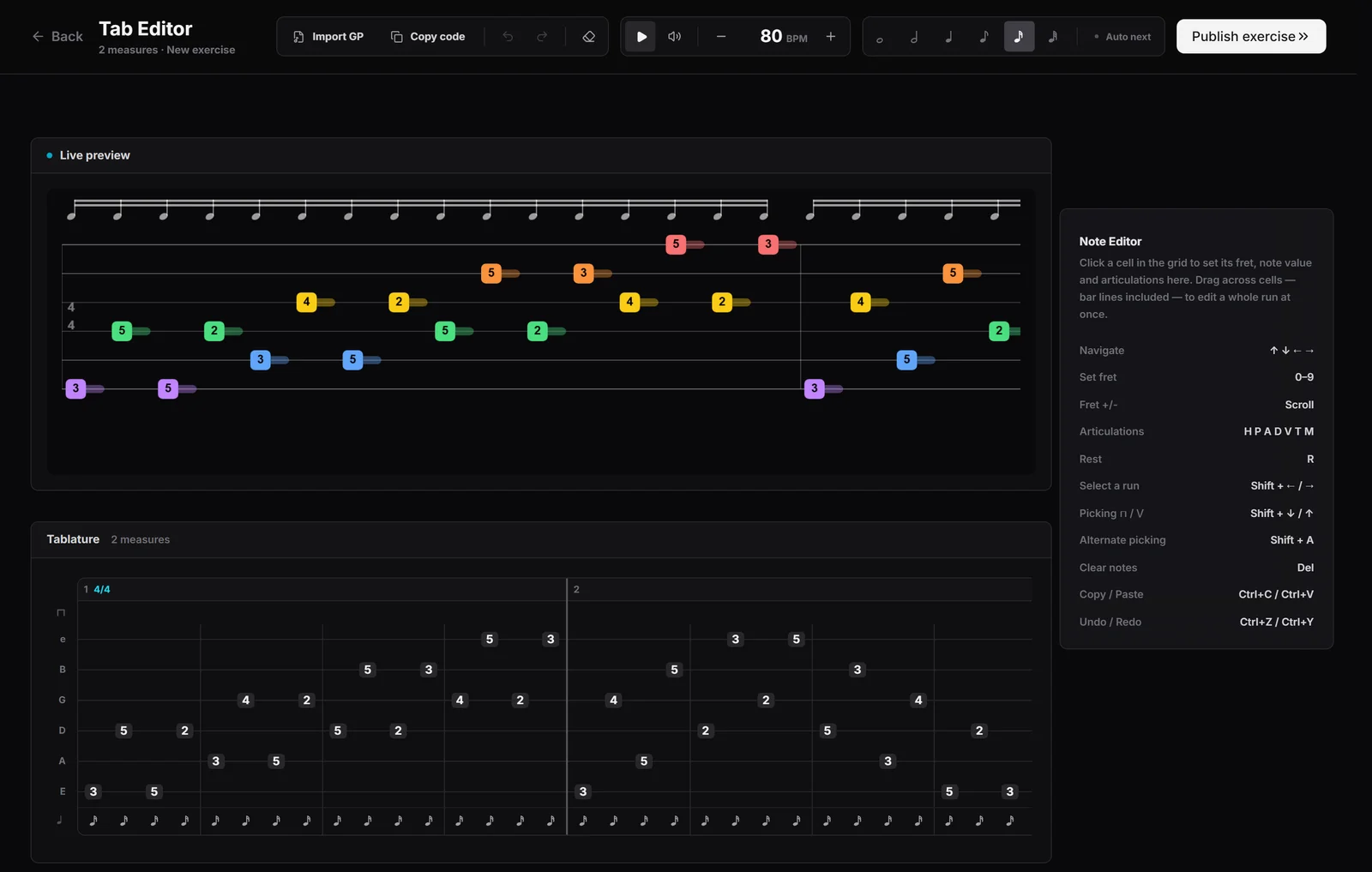
Write it in the tab editor, beat by beat, with the keyboard: frets, note values, rests, hammer-ons, pull-offs, bends, vibrato, palm mutes, taps and picking direction. It plays back as you write, at any tempo from 40 to 208 BPM, and it can pull one track out of a Guitar Pro file to start from.
Make it an exercise
One form, and it practises like the rest
Publish the tab and fill in what a teacher would tell you about it. From then on it sits in My Exercises and behaves like any exercise in the library.
- Everything a library exercise hasA title, a description, steps, tips, a tempo range with a recommended speed, a length, a category, a difficulty and the skills it trains.
- Practised like oneThe tab scrolls, Pitch Detect marks every note, and the session counts towards your points and streak.
- Part of your routinePut it in a practice plan next to library exercises, or set a goal on it and climb to a target tempo.
- Public or privateShare it with every player or keep it to yourself, and change your mind later. Either way you can keep editing it.
Play it with a band
Never practise against silence
A riff over a metronome tells you if you are in time. A riff over a band tells you if it sounds right. Which band you get depends on what you brought.
A band that reads your notes
An exercise with a tab gets its own backing, written for it: the app reads the key and the chords from the notes you wrote, picks a groove, and a soft electronic band of drums, bass and keys plays under you. Nothing to set up.
Share it
Someone else probably wants that drill
Public exercises go into the community tab, where every player can find them, practise them, rate them and say thanks.
- 5 Fame for you each time a player sends thanks.
- 1 Fame the first time each new player completes it.
- A play count and a rating, so you can see what landed.
Most played in the community tab when this page was written
- 7 day RIFF speed building routine243
- Am Alternate Picking exercise242
- Spider Pendulum 8 Note42
- 1+3 Legato Hammer On Lvl 132
40+ players have written exercises so far.
Why it exists
The best exercise is usually the one you wrote
Most of what I practise is not in any library: a lick I took off a record, a part from a song one of my bands played, a drill I made up to fix one weak spot. For years those lived in text files and Guitar Pro tabs, and I played them against a metronome or nothing at all.
I wanted them to be first-class exercises, with the same tempo control, the same note detection and the same place in a routine as everything else. And I wanted a band behind them. The generated backing is deliberately plain: it reads your notes, picks chords that fit and stays out of the way.
Then it seemed a waste to keep them to myself. If a drill fixed something for me, it will fix it for somebody else.

Michael Apfel
Guitarist & Creator of Riff Quest
Frequently asked questions
What a practice session looks like once your exercise is in it: Interactive guitar practice
Do I need Guitar Pro?
No. The tab editor runs in the browser, and the Guitar Pro library takes files from Guitar Pro or any program that saves to its formats. You only need an account to save and practise what you made.
Which files can I upload?
GP3, GP4, GP5, GPX, GP, up to 1.5 MB each and 50 files in total.
Does the tab editor work on a phone?
No. It is built around the keyboard and a wide grid, so it opens on a computer. Exercises you make can be practised on any device.
Can I keep my exercises private?
Yes. Switch it to private when you save it, or later. Public exercises show up in the community tab; private ones only for you. You can edit it either way.
Can I play along to the original recording?
For songs from the library, yes. A YouTube video plays as picture in the browser and the desktop app, and the recording itself plays from your own audio file in the desktop app, synced to the tab.
What do I get when someone plays my exercise?
Players can rate it and send thanks, which gives you 5 Fame each time. The first time a new player completes it, you get 1 more.
Where your exercise goes next
Interactive guitar practice
The session your exercise runs in: the tab scrolls and every note you hit is marked live.
OpenGuitar practice planner
Put your own exercises into a routine next to library ones, with a set time for each.
OpenDesktop app
Lower-latency input through your interface, and your own audio files as backing tracks.
Open